
Restoration
Material
Shade
upper-arch.stl lower-arch.stl rx-chen.pdf
Submit prescription Prescription sent to the lab
Platform
Capabilities
Collaborate with your dentists
Dentists mark up the design
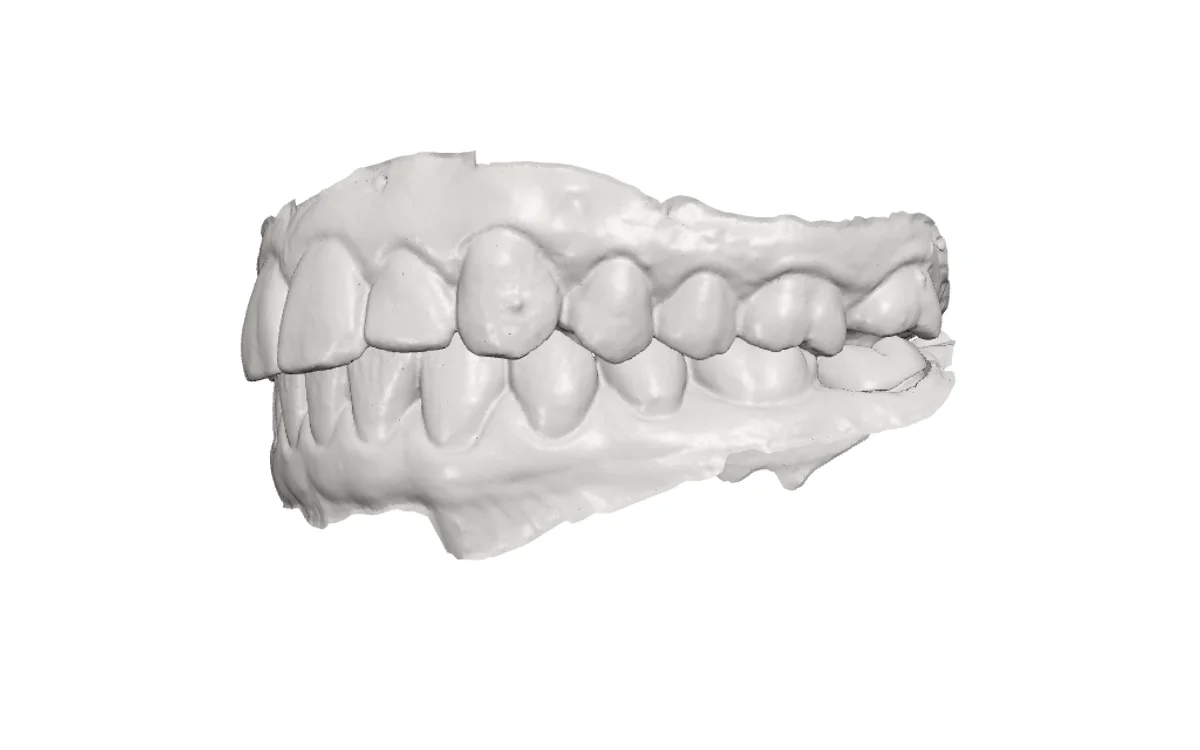
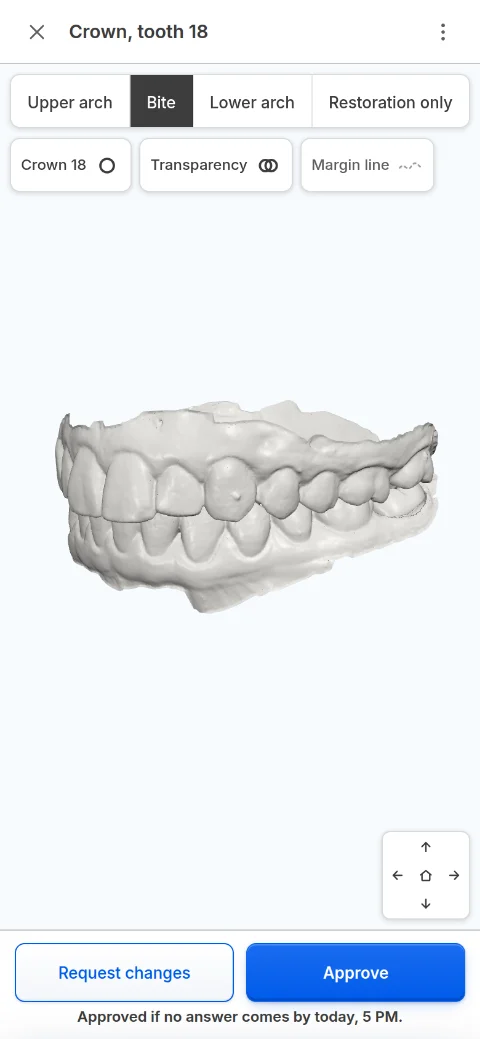
They turn the model in the browser, take a picture of the view, draw on it and say what to change. It all stays on the case.
See design reviewFeatured resource
Why dentists leave labs
The four moments an account starts fading, and what the lab could have seen coming.
Read the articleLecron is where your team and your dentists work on every case.
Restoration
Material
Shade
upper-arch.stl lower-arch.stl rx-chen.pdf
Submit prescription Prescription sent to the lab
R. OkaforIn design
S. AldarraOn hold
J. FarrowRevision
T. BrennanReady to ship
W. ChenNew
CrownUploaded
Night guardUploaded
Send design preview Preview sent to the dentist
Approve design Design approved


Tracking7712 4408 9351
Works with the files your lab already makes.
Lecron opens the files these tools export, so your technicians keep designing where they design. See what Lecron reads
Nothing to install. You send your price list and your dentists from a short checklist, we enter them, and we run your first case through with you.
Rx, scans, design revisions, holds, shipping and the dentist’s own words, all on a single page.
They turn the model in the browser, take a picture of the view, draw on it and say what to change. No back-and-forth calls.
No card and no time limit. See pricing
Collaborate with your dentists
Not a flat CAD screenshot: an interactive 3D design they can turn, mark, and decide on. The markup lands on the exact view they saw. They do it on your own portal, under your lab’s name.
Your dentists answer you from wherever they are.
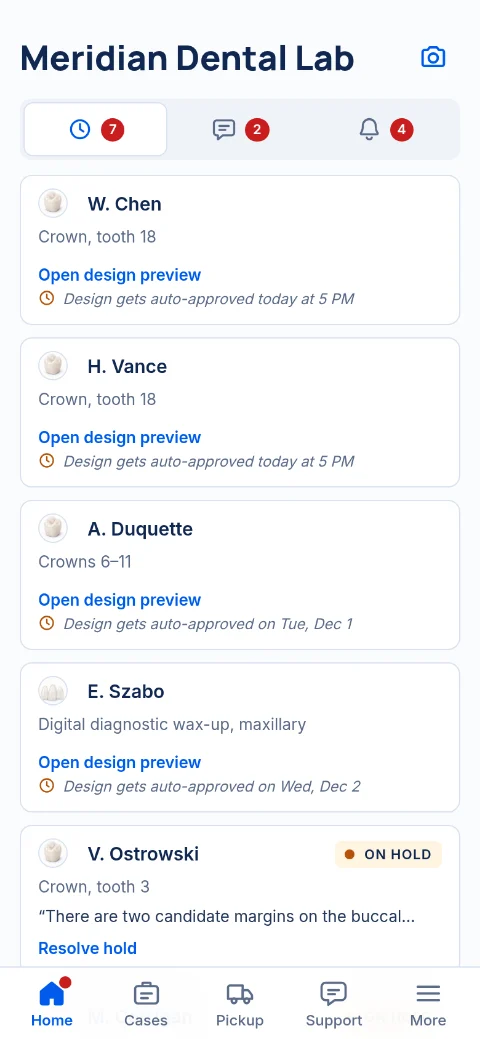
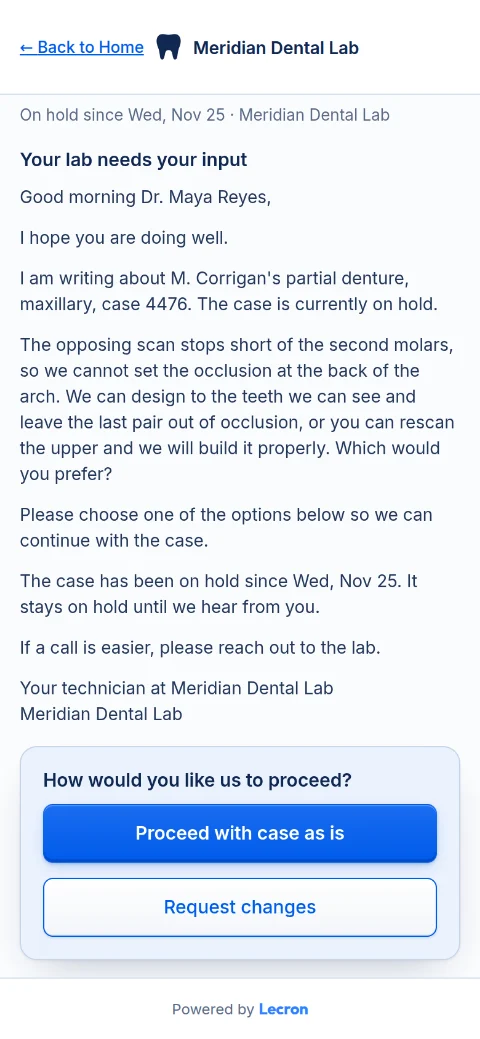
On a phone, a dentist sees what is waiting for an answer, approves a design or asks for changes, and answers your question when a case is on hold. They can also follow a case and add photos to it.
Run your lab
Every case arrives complete, both sides can see where it stands, and its full record stays with it until it is delivered. See how Lecron compares with traditional lab software
The dentist orders one question at a time.
The guided New case asks for the teeth, the shade and the scans, and shows what is still missing before the dentist sends it. A case that comes in another way, you enter yourself and upload the design files.
What do you need?Crown
Mark the teeth18
Choose the shadeA2
Crown, tooth 18A2
Scans2 files
Submit with a design preview
R. OkaforScans added
W. ChenNew case
Every item of a case, step by step, against its Ship by date.
Each case page opens on its timeline: one line per item, its steps by department, one column per business day. A bridge and a night guard each get their own line, so you see which one is holding the case. When a case runs late, the steps left are shortened, never below their minimum, to keep the due date. Only your lab sees it.
Design needed 3In fabrication 6Ready to ship 2
W. ChenShip by Dec 3In fabrication
R. OkaforShip by Dec 4In fabrication
J. FarrowShip by Dec 5In fabrication
Your dentists ask, your team answers, on the case.
Your team leaves notes on a case for each other and tags a colleague with @. The practice never sees them. A dentist asks a question from the case page, on a computer or a phone, and anyone at your lab answers, signed with their name. The question and the answer stay in the case history on both sides, and the dentist gets an email saying the lab replied.
I. Novak9:40 AM
@D. Patel the shade photo is in. Check the incisal before you stack it?
D. Patel9:52 AM
Checked. Going ahead with A2.
Your question
Can the contacts on 19 be a little tighter?
Send question
Question and reply2 messages
Dr. M. Reyes10:05 AM
Can the contacts on 19 be a little tighter?
I. Novak10:31 AM
Yes. We will tighten both contacts before it ships.
Rx, designs, change requests and history, all on the case.
A hold pauses the case in view of both sides, and the dentist answers it on the case, not by phone. The technician who picks it up tomorrow reads the same page.
Material
Shade
Design iteration 13ShapeReviewed
Make buccal fluting more pronounced, please.Picture and note kept with the case
The lab asks
Keep the shade as written
Change it
Pickups, shipping and tracking, on the case.
The practice asks for a pickup by your driver or a local courier. You mark the case shipped with its UPS or FedEx number. Tracking marks it delivered on both sides, and the dentist hears about a carrier delay.
Pickup byLab driver
When
Request pickup
W. ChenUPSReady to shipShipped
J. FarrowFedExReady to shipShipped
W. ChenUPSShippedDelivered
J. FarrowFedExShipped
Request a demo and Dr. Zack Tilden, dentist and founder of Lecron, will walk you through it and set your lab up.
The demo is open to invited labs and practices for now. Request a demo and we will set you up.